
Software Developer (2021 – 2023)
Technical Designer (2019 – 2021)
About Moxie
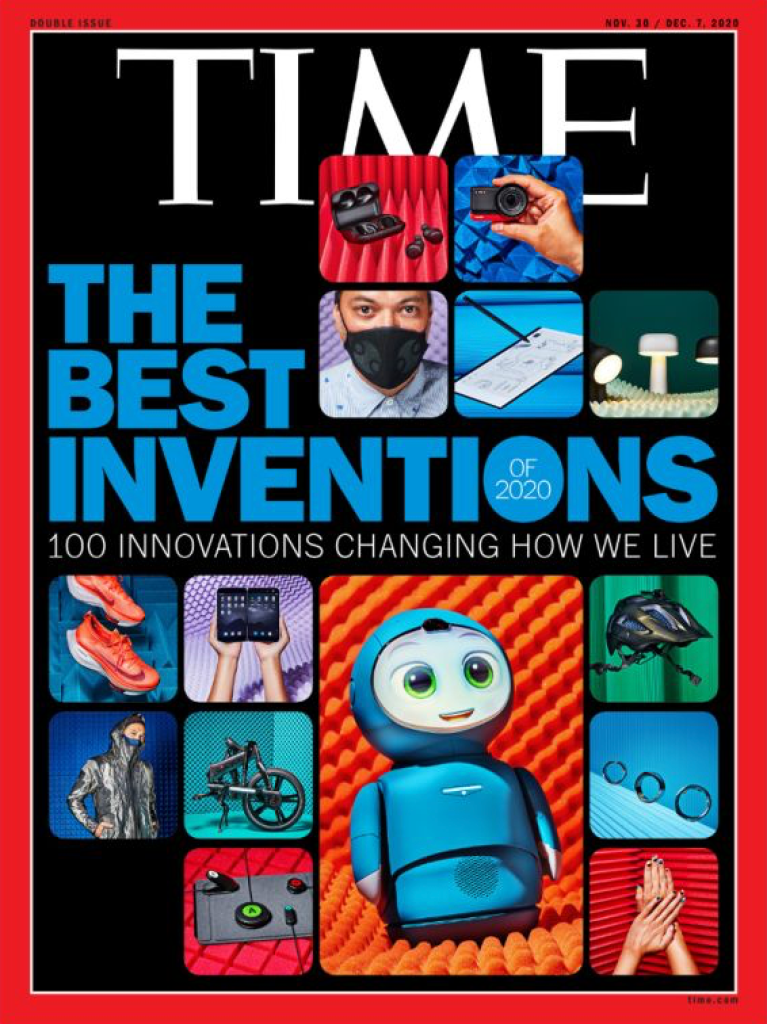
Moxie is an AI-driven robot companion on a mission to help young children (mentors) develop their social skills using play-based learning. With a wide range of fun activities and customizations, this ambiguous little friend combines cutting-edge technology with a touch of whimsy for personalized, interactive experiences. Launched in early 2021, Moxie is the collaborative result of Embodied Inc’s cross-disciplinary team of software developers, hardware engineers, game designers, artists and child specialists. The development journey was an exciting blend of innovation and creativity, utilizing a variety of languages (ex. C++, C#, Python), platforms (ex. GitHub, Unity) and chatbot engines (ex. ChatScript).
Story Time
As a technical designer, the very first activity I ever got to design and program was Moxie’s ability to share stories with their mentors. As Moxie tells a story, various icons pop up to visually illustrate the situation while music plays in the background to set the tone. At the end, the mentor has the option of answering some questions about the story.
One of the main challenges about this activity was that it required Moxie to deliver long and uninterrupted responses, a departure from the usual back and forth conversations that the main chat engine was designed to provide. As a result, I had to template this entirely new type of conversation structure (using Jinja) within the chat engine itself. This template would be one of the first of its kind and would eventually pave the way for creating other unique conversation structures.
The other unique challenge was being the first activity to incorporate icons and music. The icons and music were handled by Unity whereas the main chat engine handled the dialogue and so there was a need to design a system to ensure the two worked in conjunction. This led to an iterative process where I continuously worked on said system to ensure icons and music played on cue, were undisrupted by random tangents (@1:15 in video) and handled properly during interruptions from the user.
Since its inception, Story Time has gone on to be one of the most popular activities among mentors and parents alike. Behind the scenes, this activity also pushed the team and I to work around the limitations of the main chat engine to continue building dynamic and complex activities.

Moxie Mail
Another activity I got to work on was Moxie Mail. This simple activity has Moxie read out an email they received from a friend before working with their mentor to send a reply back. Some emails also present a choice for the mentor to make.
Despite its simple design, this module was challenging because it was set out to achieve three goals simultaneously: 1) explain Moxie’s lore, 2) introduce a new activity and 3) give mentors the power to influence Moxie’s future emails. I worked with fellow designers to carefully program Moxie’s delivery of the first two goals into small and digestible speeches to help young mentors grasp the new information. The first video shows these two goals in action. The third goal was also challenging as it introduced a branching narrative. As a result, a new conversation template along with database management (using mySQL) were used to both remember the mentor’s previous choices as well as the day’s activity list to determine which new mail should be sent to Moxie on that given day. The second video shows a simple example of the mentor having a choice to make which will either impact or be referenced by future email.
Moxie Mail still remains as one of the few activities where mentors can influence its future content. It is also the main activity (along with Story Time) for providing both Moxie’s lore and the background for other characters. Despite its complex goals and implementations, it has managed to remain one of the shortest and simplest activities to balance out other longer and more user driven activities.
Bedtime Routine
Moxie’s bedtime routine was another activity I got to develop. As the name suggests, Moxie would encourage the mentor to get ready for bed (ex. brushing teeth, wearing pajamas) before providing a few calming activities to help the mentor fall asleep.
The biggest challenge here was making bedtime (a notoriously unpopular activity among young children) engaging. Recommended by our child experts, we took two popular activities (Therapeutic breathing exercises and Story Time) and tweaked them to be more calming. With breathing exercises, Moxie’s database was modified to only provide the most calming breaths. As for Story Time, the icons were removed and the screen was darkened to encourage the mentor to lay in bed instead of looking at Moxie. To further encourage the mentor , Moxie themselves would also go to bed and wouldn’t wake up until their own bedtime was over (as scheduled in the accompanying parent app).
The approach to bedtime seems to be a success as multiple parents have praised the activity while tons of mentors continue to use this nightly activity. On a personal level, this activity also taught me how to carefully modify (and more importantly organize) systems in a way that allows us to reuse content without creating additional bugs.
Sensing the World
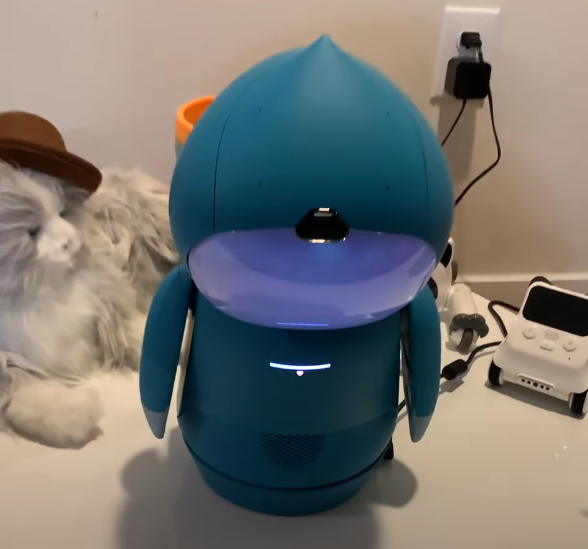
To truly bring Moxie to life, it was crucial to build and improve Moxie’s sensory capabilities. Over the years, I collaborated with the Human Robot Interaction (HRI) team to improve or convert Moxie’s perception of sound, sight and touch into natural responses and behaviors.
One reoccurring, auditory issue was Moxie’s inability to comprehend speech patterns and habits from young children. To help alleviate this issue, I periodically worked with other developers to implement more robust and lenient speech patterns in our main chatbot engine.
During the early days of testing, children would often show off their stuff to Moxie without any kind of acknowledgement. Once the team implemented visual recognition, I started developed activities and conversation templates around the concept of seeing books, drawings and even facial expressions.
Being a physical object, it was only natural that mentors wanted to touch and hold Moxie. As a result, the team implemented touch-based capabilities and I specifically contributed to Moxie’s dialogues and behaviors when being held off the ground and hugged.
The first video shows off Moxie’s auditory and visual improvements as they both respond to the young child’s speech patterns/pronunciations and recognize her facial expressions during the daily mission. The second video showcases Moxie’s ability to hold a hug until the mentor lets go first.
Natural & User-Driven Conversations
We can’t always anticipate what a mentor might say in any given situation, so one of my goals as an interactive developer was to continuously improve Moxie’s ability to handle off-topic conversations using a combination of machine learning (ML), natural language processing (NLP) and chatbot engines.
Since the main chatbot engine was only capable of producing pre-written content, our earliest attempts at handling off-topic input was using generic dialogue that redirected mentors back to the topic. We realized quickly that this dialogue was repetitive and discouraged users from driving the conversation. Our next iteration used intent classification from NLP engines to broaden the input scope of any given subject. While this gave mentors more room to lead conversations while in a specific topic, Moxie still failed to handle the conversation once mentors jumped to other topics. Finally, the team and I incorporated additional ML engines to provide more relevant responses to a mentor’s off-topic comments in real time. While this process took a lot of fine tuning, safety guarding and architectural restructuring, the final result has allowed mentors to experience more natural and user-driven conversations with Moxie.
Moxie’s user-driven conversations definitely proves to be popular as hinted by all the TikTok, Instagram and Facebook posts. As for me, this was a challenging and memorable way to gain ML/NLP experience.
Additional Content


 Juan Rosales